New trees and real grass
September 26, 2026This part is a side project. Most of the posts so far were about getting the original game to work in Godot. This one is about making it look a bit newer without losing the original.
Same rule as the effects in Part 8: everything here is an option. The options window has a “Trees” row and a “Grass” row, each with Legacy and New. Legacy is the exact original client. New is what this post is about. Both switch live, the world does not reload.
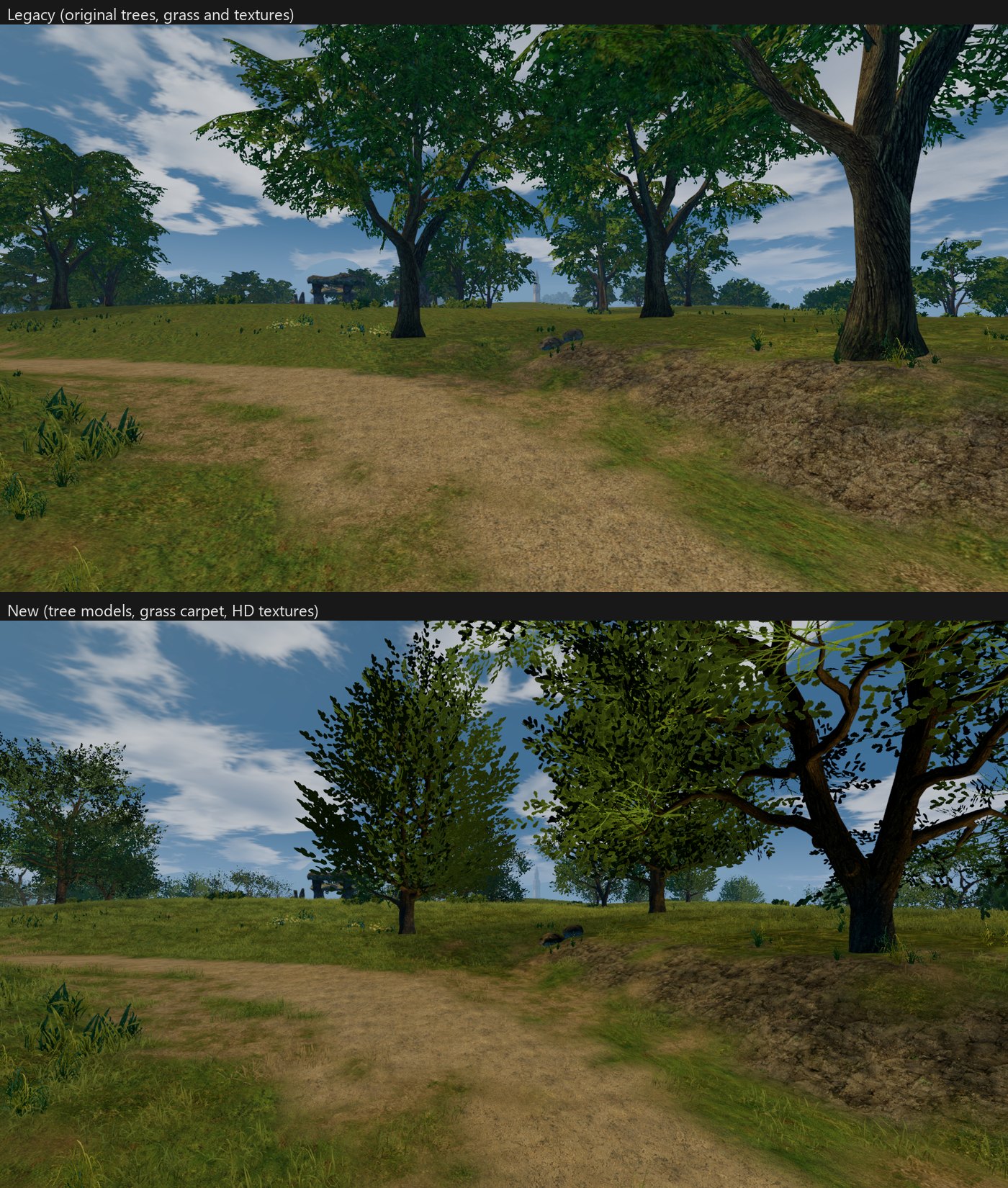
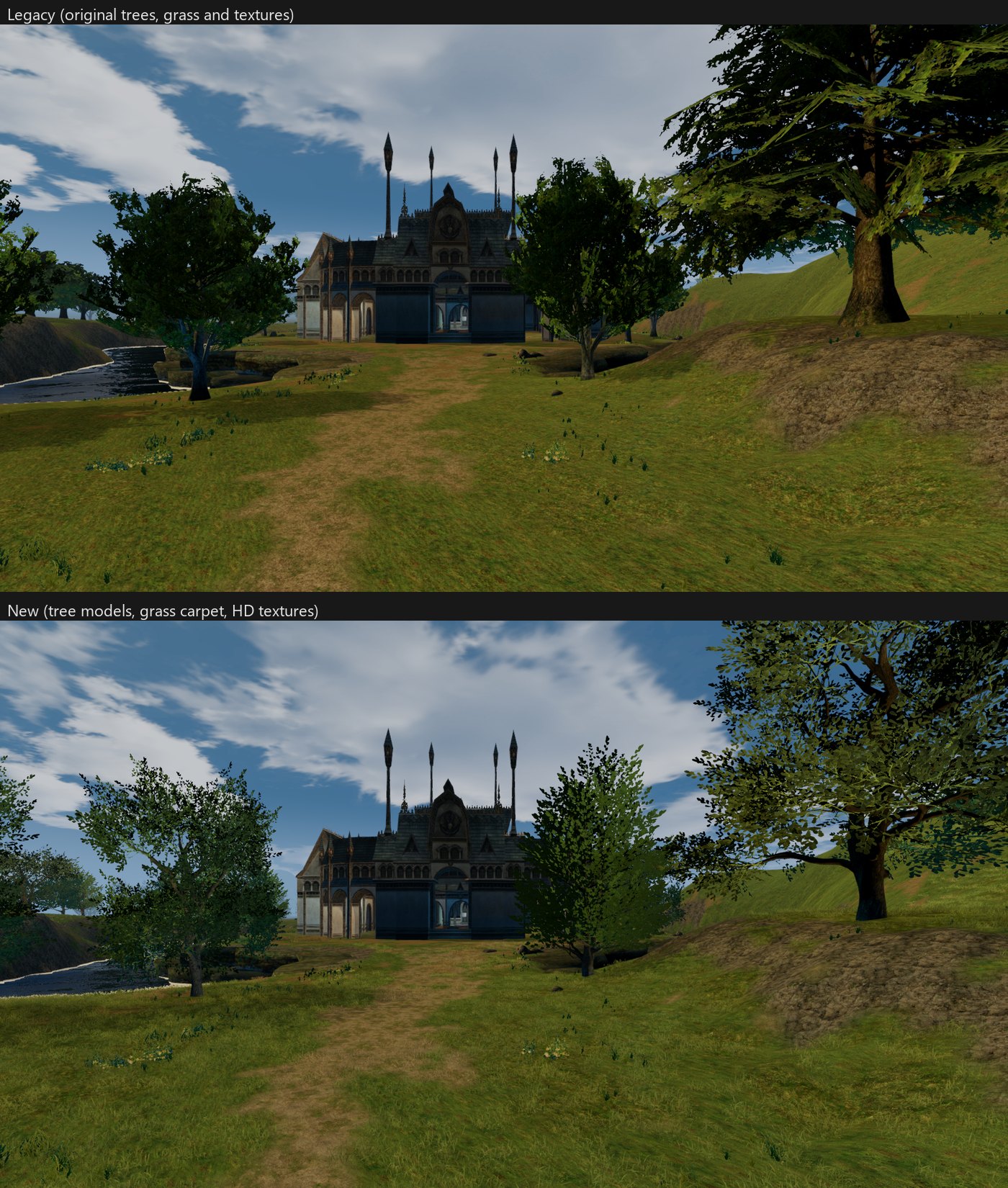
The HD textures from Part 9 got the same option, a “Textures” row. So in the comparisons below, Legacy means everything original: trees, grass and textures. New means everything new.
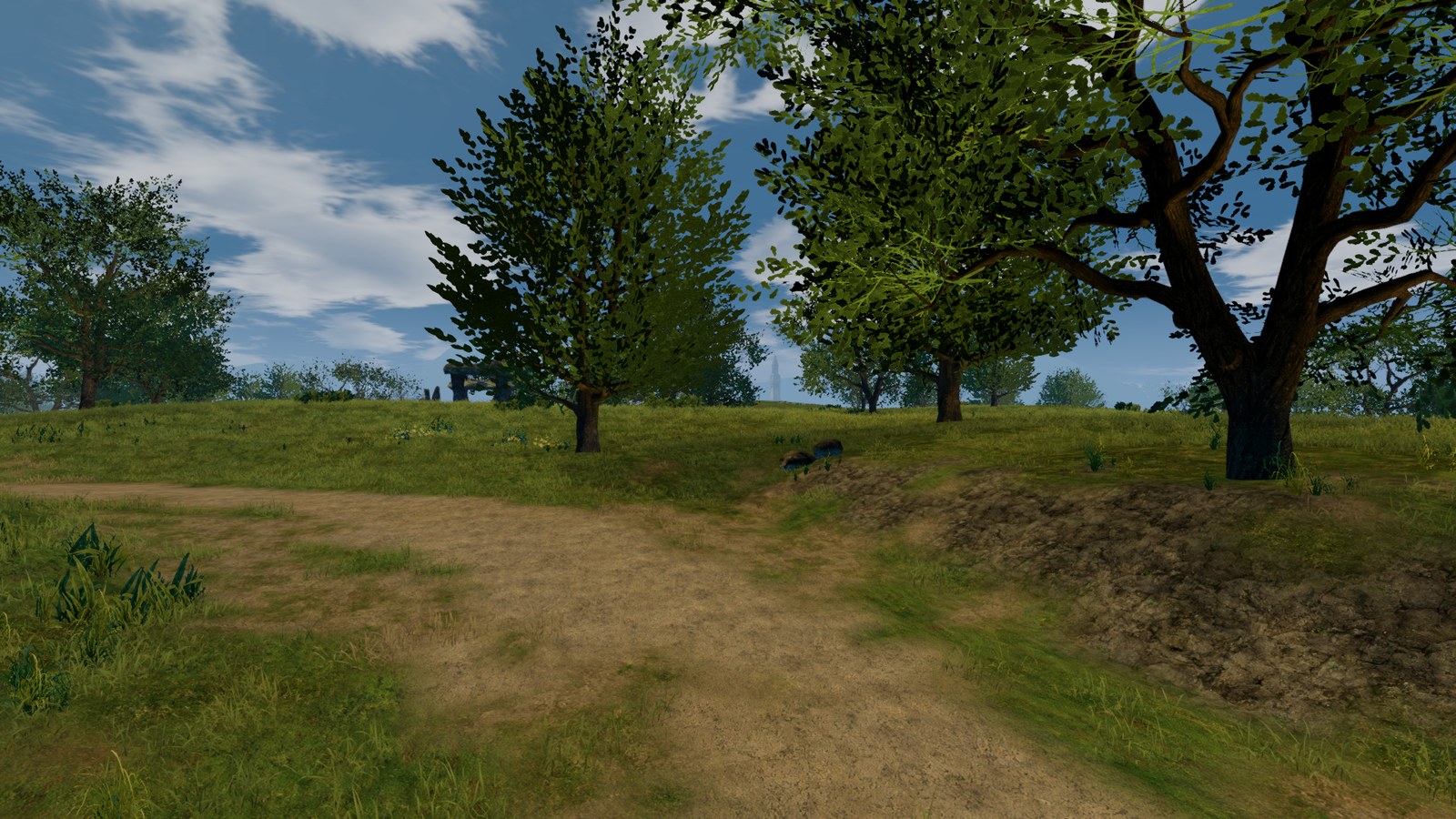
Trees, first attempt
An Interlude tree is a trunk plus a few big flat planes with a leaf texture on them. From far away that works. Up close you see the cards.
My first idea was to keep the original tree and only rebuild the crown. New leaf cards placed on top of the original leaf planes, 3D branches inside, and real leaf photos (CC0 scans from ambientCG and Poly Haven) cut into twigs. I got it working for 72 trees.
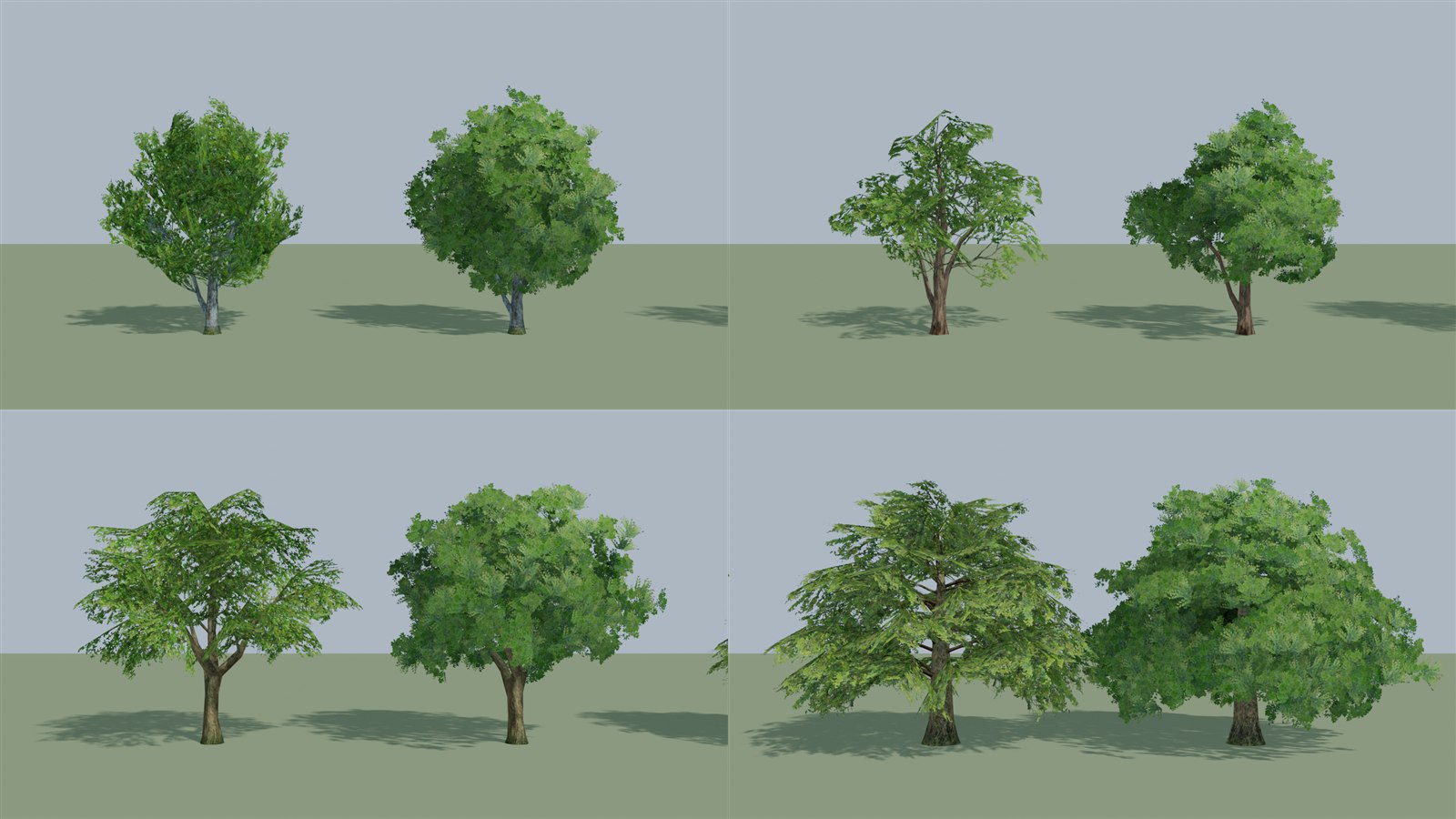
It did not work. The crowns came out round and soft, like green balls on a stick, and the branches looked fake. After a couple of days of tuning I dropped it.
Trees, real models
The second idea was simpler: replace the whole tree with a real 3D model. I searched Sketchfab for free models with a CC-BY license and ended up with 22 tree models from 17 uploads: oak, elm, beech, birch, maple, acacia, willow, pine, spruce, fir, juniper, two palms, a bald cypress, a few gnarly old trees and three dead oaks. The credits are at the end.
Before anything goes into the game I render the models side by side in Blender and check them.
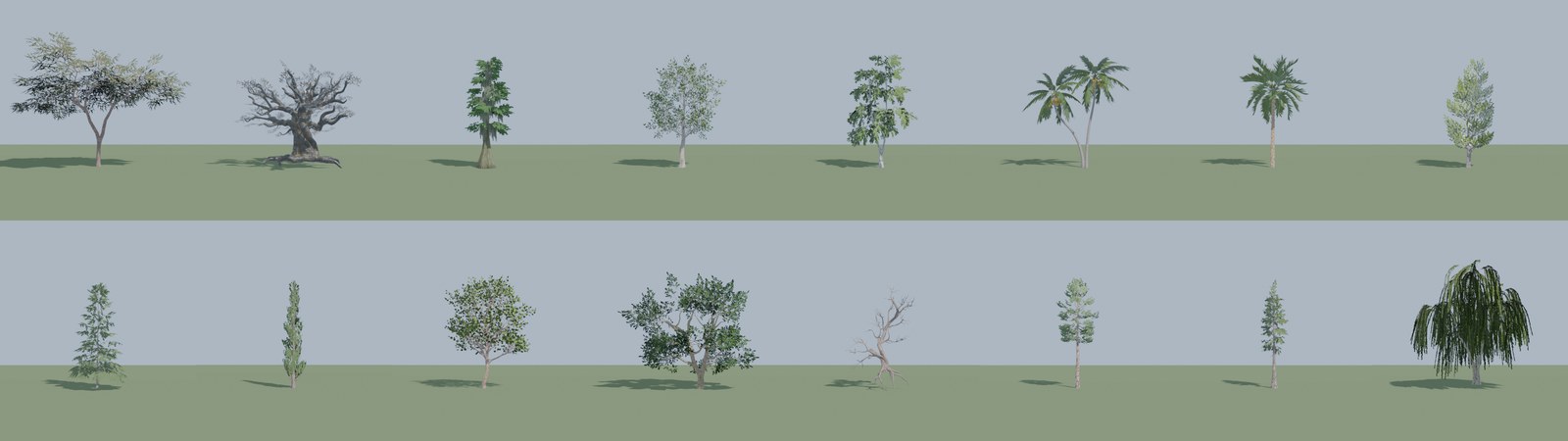
Then every tree mesh in the game gets a decision. 152 tree meshes get a model, and they are placed 29,181 times across the map. 82 meshes stay Legacy on purpose: bushes, ferns, fantasy trees with multi-colour leaves, ruins. Nothing on Sketchfab looks like them, and a wrong tree is worse than an old one.
To make a model fit in place of the original:
- Size and position. The model goes on the original trunk base and is scaled to the original tree’s height. The width follows the original too, but only between 0.75x and 1.35x, so a model never looks stretched.
- Variety. Each placed tree picks a model variant and a rotation from a hash of its world position. The same spot always gets the same tree, but two trees next to each other do not look like copies.
- Colour. L2 has green trees, orange autumn trees, snowy trees, dark swamp trees. I wanted one oak model to work for all of them. Multiplying the model texture by the original colour gave mud (green times orange). What works is to keep only the brightness of the model texture and colour it with the original tree’s leaf or bark colour:
vec4 tex = texture(albedo_tex, UV);
vec3 tint = is_leaf ? leaf_tint * leaf_brightness : bark_tint;
float lum = dot(tex.rgb, vec3(0.2126, 0.7152, 0.0722));
vec3 recoloured = tint * min(lum / max(mean_lum, 0.005), 3.0);
leaf_tint and bark_tint are set per tree, measured from the original tree’s textures.
mean_lum is the average brightness of the model texture, so the leaf detail keeps its
contrast.
- Matte. The Sketchfab leaves were single sided and a bit metallic. In the game they are double sided with no specular, like the rest of the port. They also sway a little in the wind.
Here is the same spot with both options. Legacy on top, New below.
Dead trees
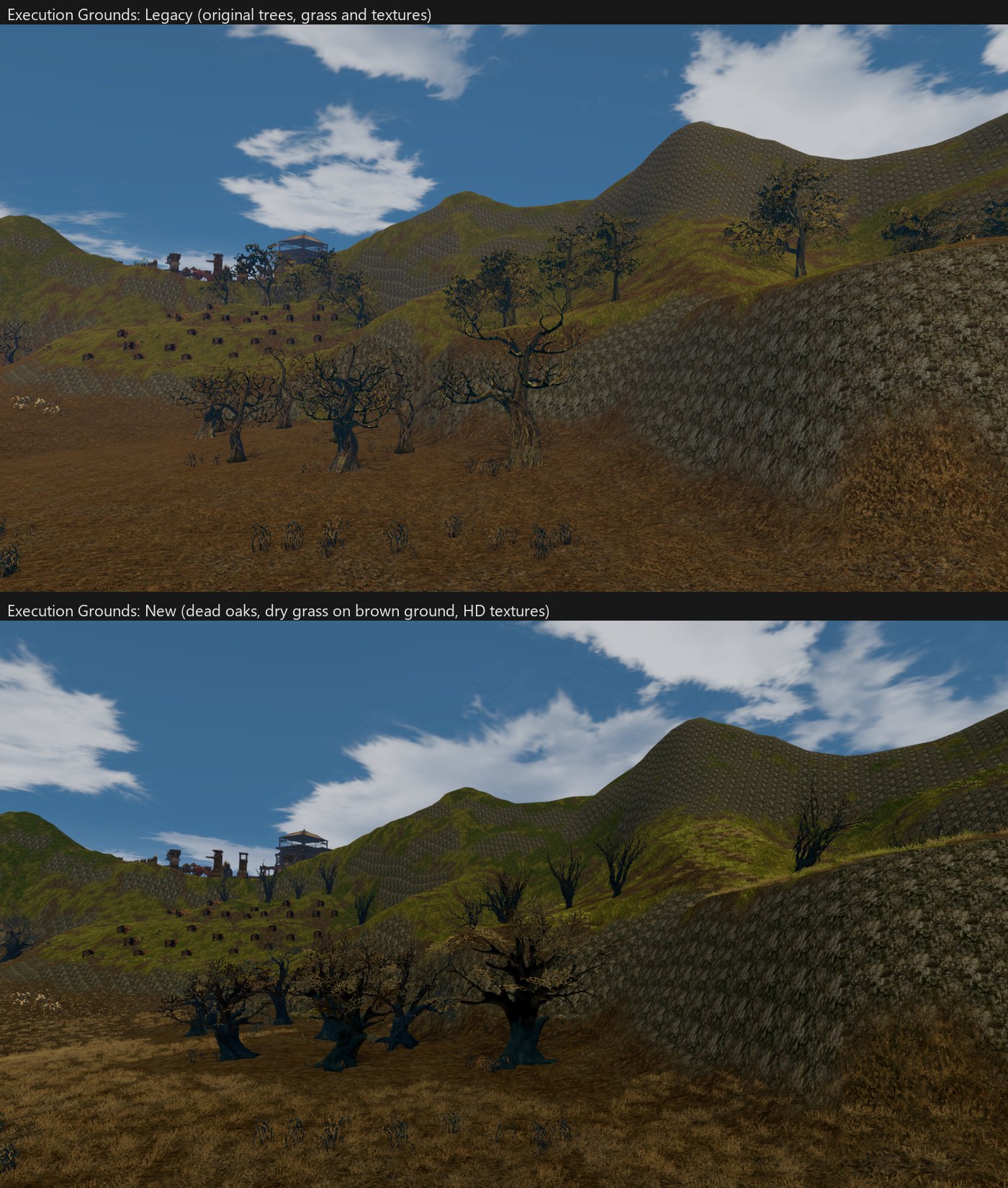
Not every tree is green. At the Execution Grounds the original trees are slender and twisted, with a few withered olive leaves. For them I used a set of three dead English oaks. The result looks more dead than the original, which still has some leaves. Not a perfect match, but much closer than putting a green oak there.
Floating roots
Some models have big roots. The original L2 trees stand on a thin trunk, so on a slope the new tree’s roots hang in the air on the downhill side. On the Execution Grounds tile, 186 of 676 trees were floating.
The fix has two parts. First, each model is pushed down until its root tips are 5 cm under the terrain, but never more than 6% of the tree height, or the branches get buried on steep slopes:
var worst := -INF
for v in _footprint(node.mesh):
    var p := xf * v
    worst = maxf(worst, p.y - _ground_height(g, p.x, p.z))
var tall := (xf * Vector3.UP).y - base.y
var sink := clampf(worst + GROUND_SINK, 0.0, GROUND_MAX_SINK * tall)
_footprint is the outermost bark vertex near the bottom of the model, in 24 directions
around the trunk. Those are the root tips that hang first on a slope.
Second, for the models with the biggest roots I cut the roots off in Blender at 5% of the height, so the trunk just goes into the ground. After both, 10 trees on that tile still float a little, all on the steepest slopes and less than half a metre.
Grass
The original ground is a flat texture with some small plants on top, herbs and flowers. The New grass is a carpet of real grass blades on top of that. The original plants stay.
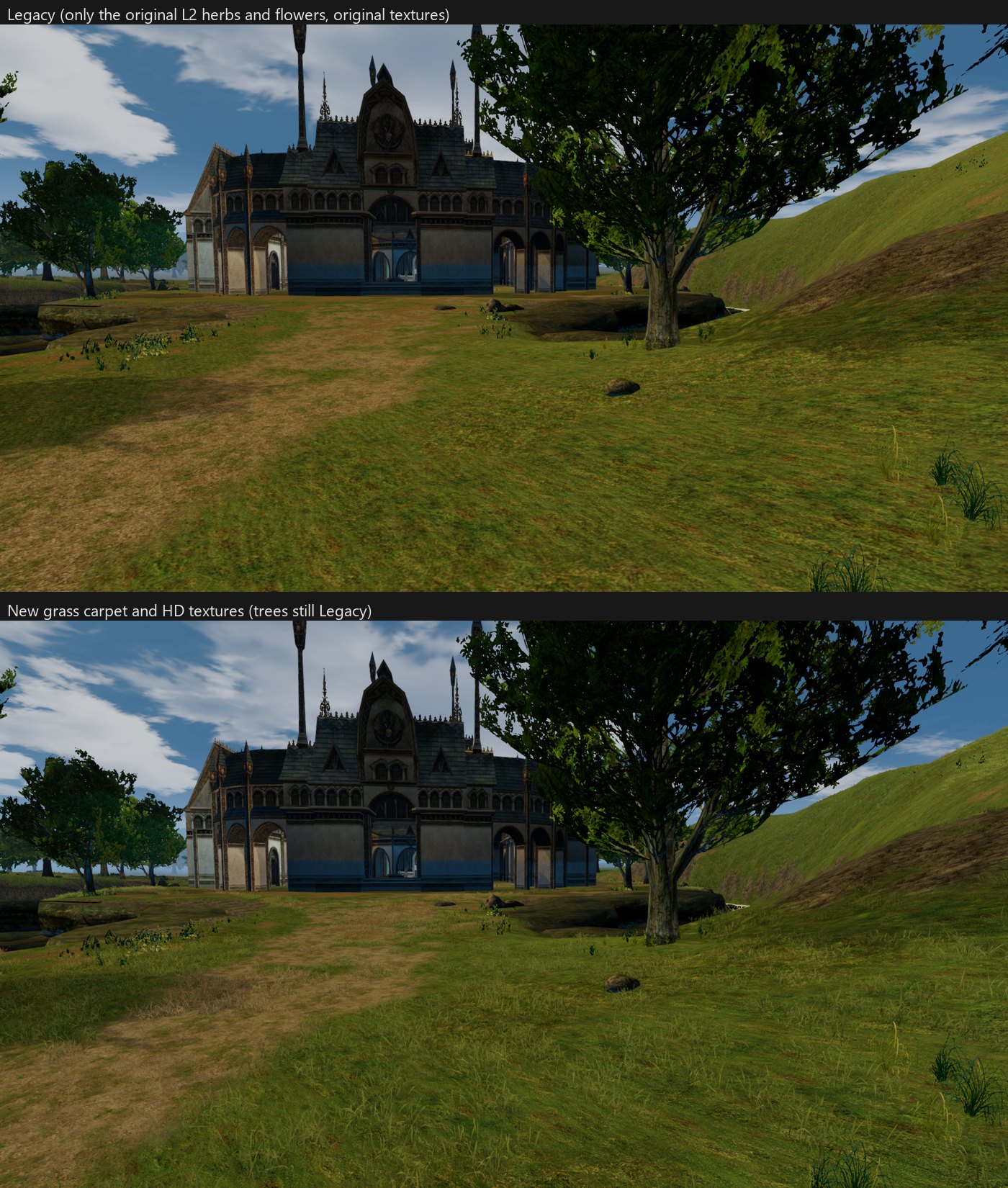
It is built at runtime in 16 m chunks around the camera, up to 150 m, where the fog is solid. For each chunk it reads the tile’s splat map (which texture is where), the terrain height, the holes (cave entrances), the props and the water, so there is no grass inside a house or under a lake. Close blades are real geometry. Past 35 m each patch becomes a few crossed cards, which from that far look the same.
The hard part was deciding where grass goes and what colour it is. The map uses 353 terrain textures. I made contact sheets of all of them and sorted each one by hand: green grass, dry grass, or bare (dirt, sand, road, rock, snow). Some get a lower density so they become clumps on soil instead of a lawn. In the end 176 textures get grass, 122 green and 54 dry. The blade colour comes from the ground texture itself, so grass on dark ground is dark and grass on yellow ground is yellow:
"ag02":  {"type": "green", "density": 1,   "color": [0.4485, 0.553, 0.1781]},
"ag05":  {"type": "dry",   "density": 1,   "color": [0.4668, 0.3709, 0.1873]},
"ac_07": {"type": "green", "density": 0.6, "color": [0.2689, 0.3091, 0.1445]}
Dry ground gets dry blades with a different texture. You can see it in the Execution Grounds shot above, the brown ground has straw coloured grass.
Performance
When I first walked around the Execution Grounds with the grass on, I had about 60 fps. Without it, 90. So I wrote a small bench: it loads the 4 tiles around a spot, uses the same fog, lights and global illumination as the game, orbits a camera like the game camera does, and measures Legacy against New.
Two things came out of it:
- Trees past the fog. The fog is solid at 150 m, but the camera draws up to 1000 m and the sky still shows through the fog a little. So far away trees were still full models, drawn as flat fog coloured shapes. Now a model is drawn only up to 150 m. Past that the original L2 tree, a few hundred triangles, stands in.
- Grass was CPU, not GPU. I expected the blades to be the cost. They were not. Drawing the whole carpet was about 0.4 ms of GPU time. The problem was my own script: every frame it checked about 1,400 chunk slots using string keys and re-picked the distance level for 320 chunks, around 3 ms per frame. Now it does that only after the camera moves 2 m or a tile loads. With the grass on, the bench went from 110 fps to 83 before the fix. After it, the grass costs about 8% of the frame instead of 25%.
Next
The grass does not bend when you walk through it yet, and the bushes and ferns are still the original ones. I paused the plants for now. After this it is back to content.
Credits
The tree models are not mine. All of them are from Sketchfab under Creative Commons Attribution 4.0. My changes: meshes joined or split per tree, rescaled, leaf cards made bigger, and colours changed at runtime.
- Acacia tree, Beech tree, Birch tree, Coconut Palm, Date Palm, Elm tree, Fir tree, Juniper, Maple Tree, Oak tree, Old tree, Pine Tree, Spruce and Willow by evolveduk
- Bald Cypress by BaptisteBerard
- 3 English Oak Set (Quercus Robur) by Yag1z
- Gnarly trees by DJMaesen
Grass blade textures: tonytextures.