Sharper textures, and a bit of depth
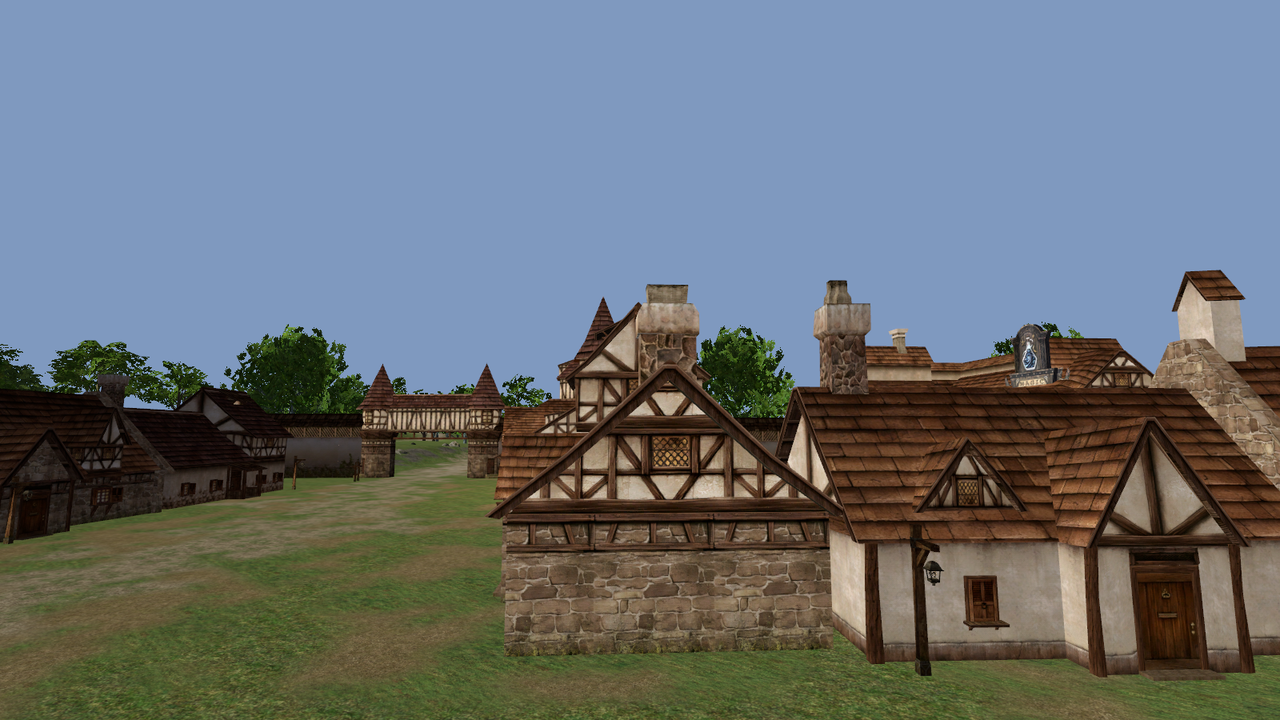
September 21, 2026Most of the textures in the Interlude client are tiny. A house wall is 256x256, a roof is 128x256. On a 2004 monitor that was fine. On a 1440p screen you stand in front of a wall and it is a blurry smear.
I did not want to repaint anything. The goal was to keep the exact same art, just with more pixels in it.
Upscaling
I tested a few AI upscalers on a handful of Talking Island textures and compared them side by
side. The one I kept is Real-ESRGAN (the x4plus model), 4x, with no extra tricks. The anime
model looked wrong for this art, and mixing the upscale with the original at 50% just made it
softer again.
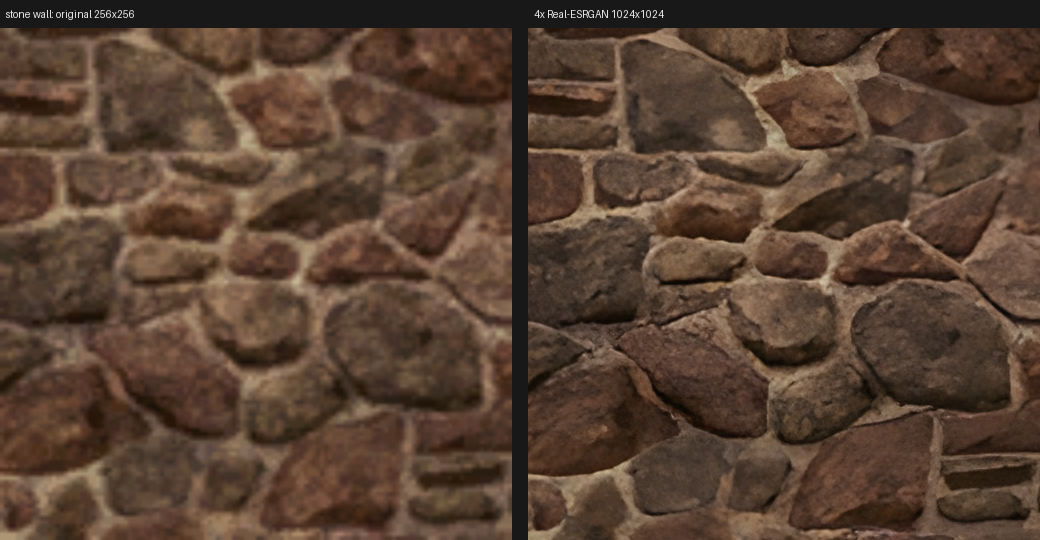
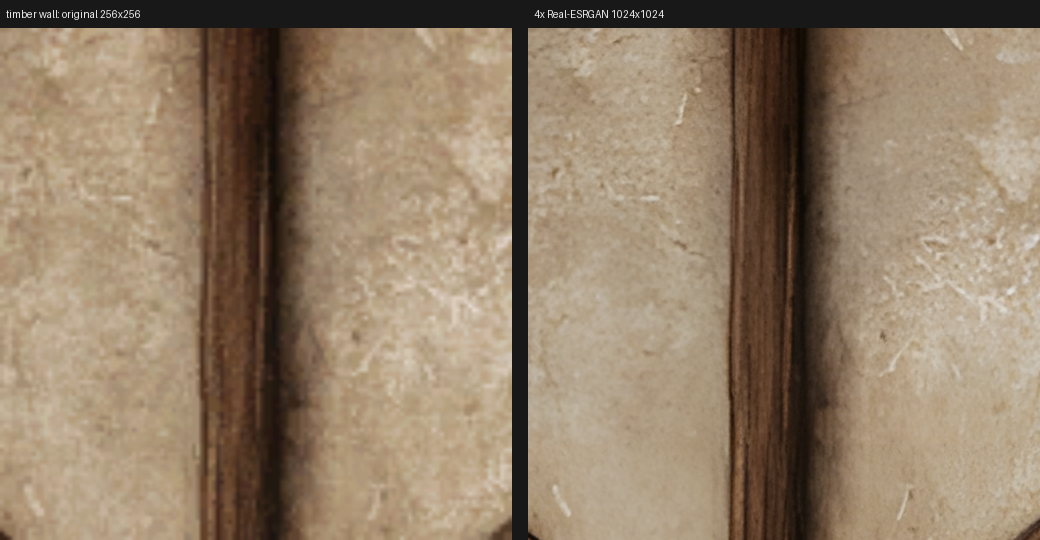
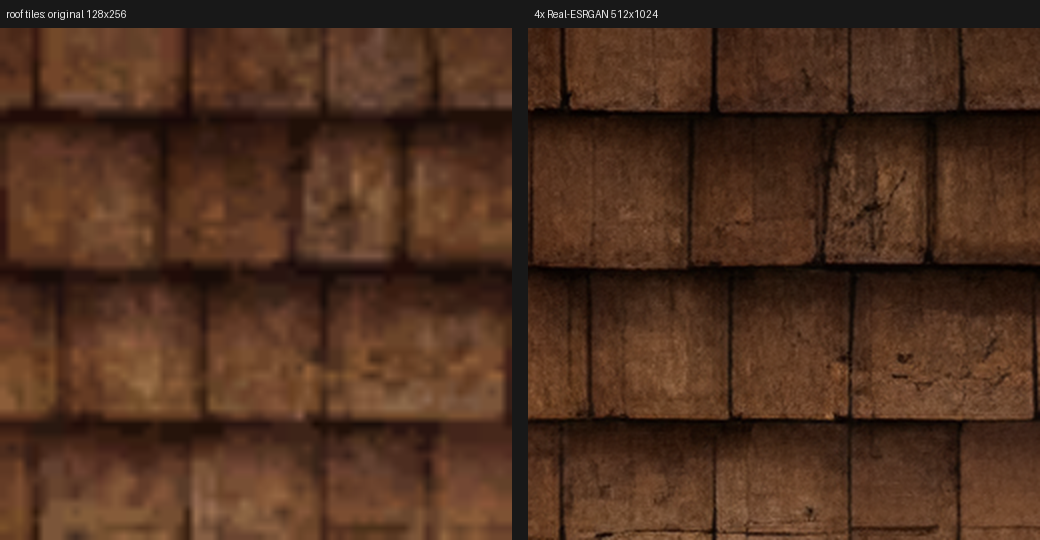
Here is what 4x does to a 256x256 stone wall. Left is the original as the GPU shows it when it fills the screen, right is the upscaled one at the same size.
Two things I had to handle so the result works in a game and not only in a viewer:
- Tiling. Most of these textures repeat across a wall. If you upscale the image on its own, the model invents detail at the edges and the seam shows. So each texture is padded with a copy of itself on all sides before the upscale, and cropped back after. The seam stays seamless.
- Alpha. Leaves, fences and grates use transparency. The upscaler only does RGB, so the alpha channel is upscaled separately as a grayscale image and put back.
The whole library is about 22,000 textures. It runs on the GPU at roughly half a second each, so it is a few hours in the background. Characters, monsters, weapons, buildings and terrain all go through it. UI, icons, fonts and effects do not, those are a different kind of image.
What the game loads
The upscaled PNGs are only masters. What the game actually loads is a DDS version of each one, block compressed with mipmaps, in a folder next to the originals. On the GPU a 1024x1024 texture in that format takes about twice the memory of the original 256x256 as raw RGBA, for 16 times the pixels. That cost is fine.
The rule is simple: if the HD file exists it is used, otherwise the original. Nothing was rebaked. The map tiles, the character parts and the monster scenes just look for the HD file when they load.
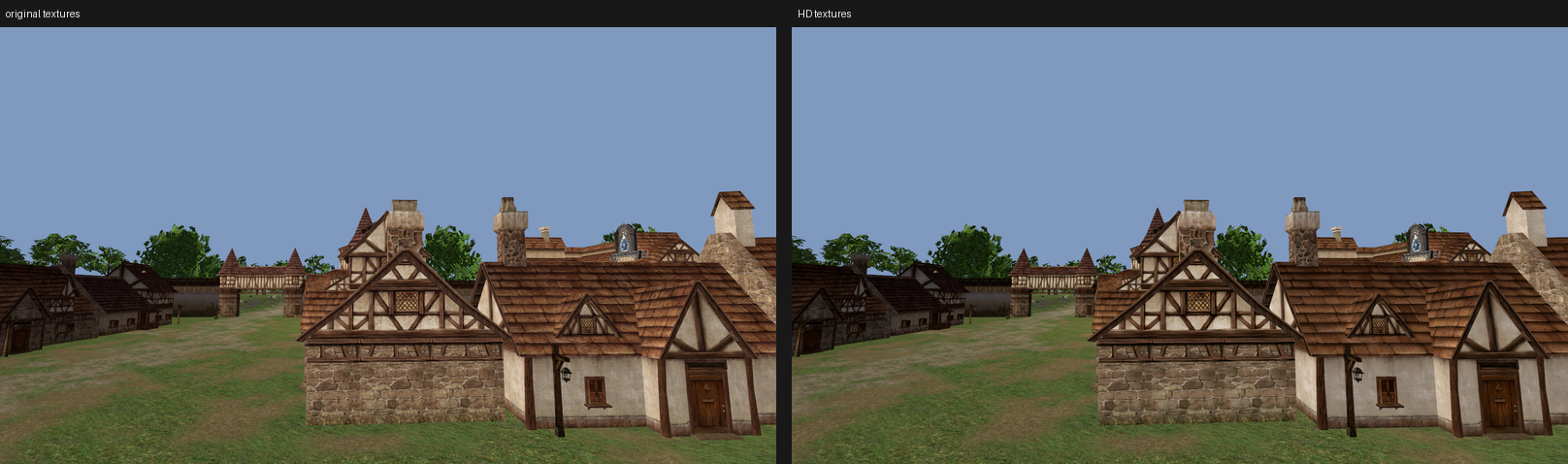
Normal maps for walls and stone
Interlude has no normal maps at all. Everything is flat diffuse, and the “shine” on armor is a reflection map. So I tried generating normal maps from the diffuse textures, only for the kind of surfaces where that guess is usually right: stone, brick, rock, wood, roofs, floors.
The method is basic. Take the brightness of the upscaled texture, remove the large soft gradients so only the local detail stays, and turn that height into a normal map. Godot has a function for the last step. The strength I picked is the lowest one I tested. It should be something you notice on a wall when the sun is low, not a plastic look.
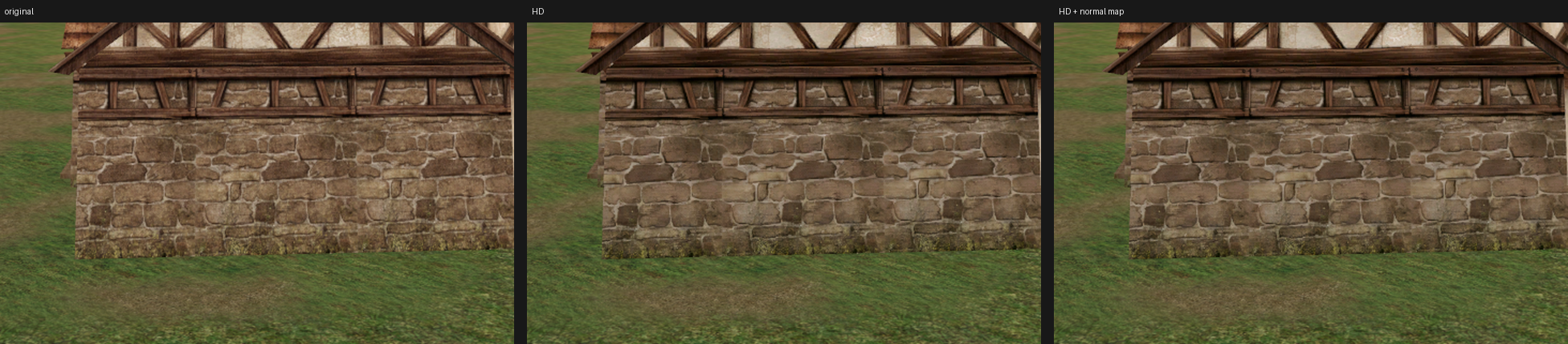
It is a guess from brightness, so it is not always right. Dark timber beams end up sunken instead of proud, because dark reads as low. Stone and mortar come out well. Grass gains almost nothing, so terrain is not included for now. Characters and monsters are excluded on purpose, painted shading on a face turns into bumps.
The baked meshes already had tangents (Godot generates them at bake time when a mesh has
normals and UVs), so this was only a matter of generating the files and setting
normal_texture on the same materials that already get the HD albedo.
Next
The upscale batch is still running while I write this, so parts of the world are still on the old textures. After that it is back to content: the other races’ animations, weapons, and NPCs for the tiles outside Talking Island.