Going multiplayer, talking to an L2J server
August 28, 2026At this point I had the world. Terrain, buildings, trees, water, a sky. The next obvious step was to start placing characters and NPCs on it, the shop keepers, the guards, the monsters, one by one.
But while I was thinking about how to do that, another idea got in the way. This whole thing would be so much more interesting if it was actually multiplayer. Not me faking a world with static dummies, but a real server, with real monsters that the server controls, and one day maybe other people walking around too.
And then I remembered L2J. It is an open source Lineage 2 server emulator written in Java, and the version I use is the Mobius project. People have kept it alive for more than ten years. So instead of inventing my own fake world, I could just run a real L2 server on my own machine and connect my Godot client to it.
That changed the plan completely. This post is about getting that first connection working.
Running L2J on my machine
First I needed the server running locally. L2J Mobius ships one self contained server per chronicle, and I use the Interlude one to match my client. Getting it up was a few steps:
- Build the Java sources with Ant.
- A MariaDB database for the accounts, characters and the world data.
- Start two servers: a login server and a game server. The login server handles who you are, the game server handles the actual world.
One small setting saved me a lot of pain. The login server can auto create accounts, so I do not have to register anything. I just type a new user and password the first time and it makes the account for me.
The login was the real fight
Connecting to the login server is not as simple as opening a socket. The old L2 login protocol is encrypted, and not with one thing, with a small pile of them. There is Blowfish, there is RSA for the password, there is an XOR pass, and there are checksums on top. If any single one of them is wrong, the server just drops you with no explanation, so you are debugging blind.
I wrote all of that in C# on the Godot side. The login flow ends up being a fixed little dance:
// login server, everything Blowfish encrypted
// 1. Init            <- server sends its RSA key and a Blowfish key
// 2. AuthGameGuard   -> we reply, server would normally check the anti-cheat
// 3. RequestAuthLogin-> username + RSA-encrypted password
// 4. LoginOk         <- here are your session keys
// 5. ServerList      -> which game server do you want
// 6. PlayOk          <- keys to hand over to the game server
The anti cheat, GameGuard, was one more wall. On a real retail server it checks the client in ways I cannot answer. Since this is my own server, I just patched it to always say ok.
Once the login server is happy it hands me a set of session keys, and those keys are what let me talk to the game server on the next step.
A small login screen
Instead of driving all this from a script, I made a simple login screen in Godot. You type a user and password, it connects, it shows the list of servers, and you pick your character.
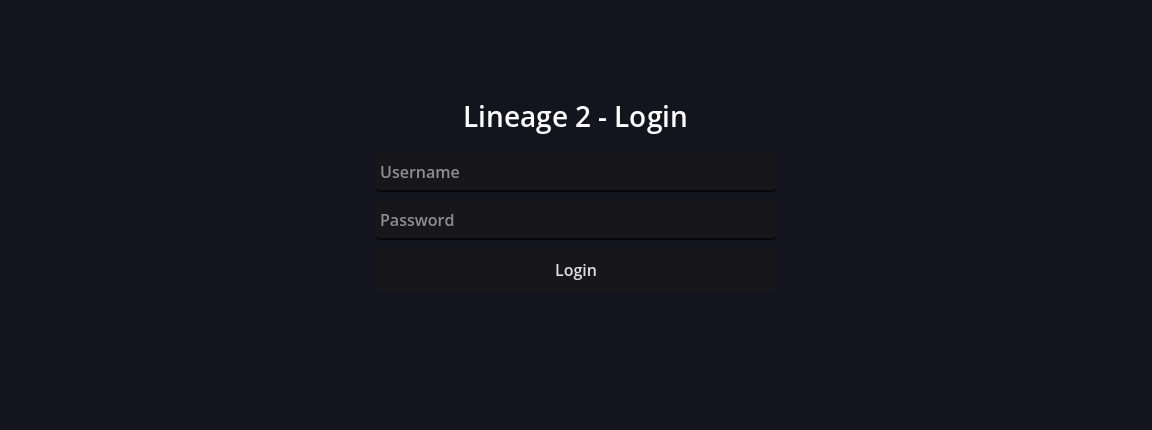
The game server has its own handshake after that: send the protocol version (Interlude is 746), swap a key, send the login keys again, get the character list, pick one, and enter the world.
Where am I, and what is around me
This is the part I was really after. The second I enter the world, the server starts telling
me things. The first important one is my own character and where it is. My test character
sits at the L2 coordinates around -89357, 238269, -3671. Those are the same kind of world
coordinates the map tiles use, so I run them through the same Unreal to Godot transform I
built for the terrain, and drop the camera right there.
Then the server sends a burst of packets about everything nearby, every NPC and monster around the spawn. I read those and place each one:
# for every NPC the server tells me about
npc.display_id = server_id - 1000000     # 20000-29999 monsters, 30000+ town NPCs
npc.position   = ue_to_godot(x, y, z)    # same transform as the terrain
spawn_placeholder(npc)                   # a capsule sized from the server's collision box
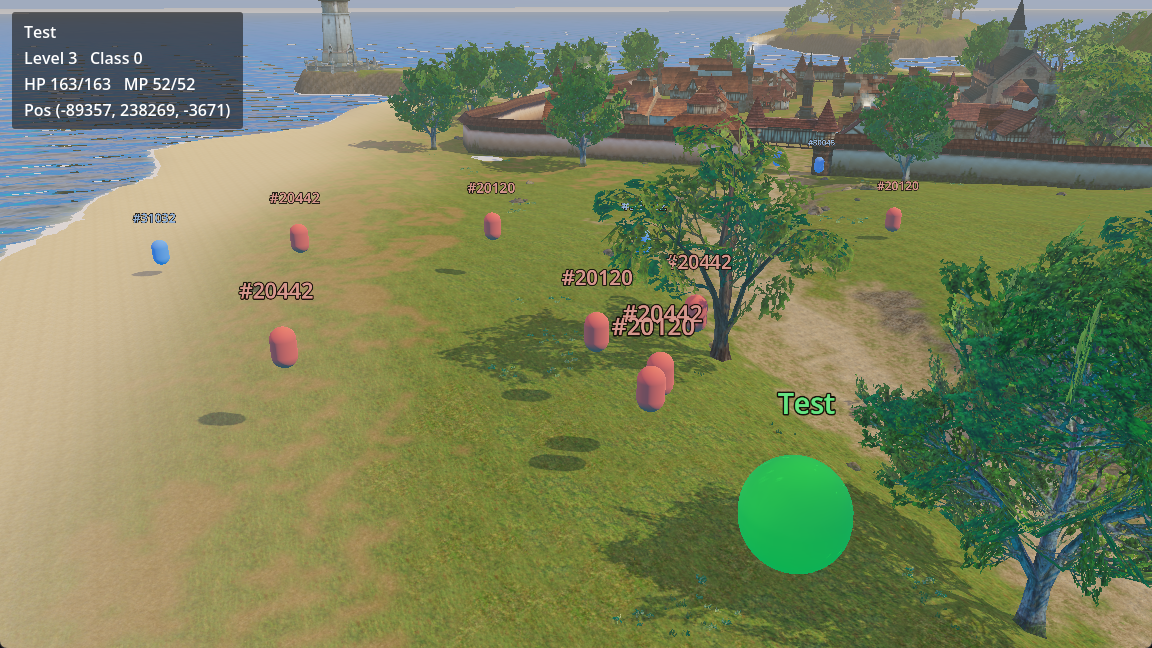
The first time it worked I got 23 NPCs placed around my character, all in the right spots. My character is the green ball, the monsters are the capsules with their id floating over them. They are ugly placeholders for now, sized from the collision box the server sends, but they are real positions coming from a real server, not something I typed in by hand. The screenshot at the top shows exactly that.
One honest bug: right now they float a bit above the ground instead of standing on it. I am placing them at the exact server height but not snapping them onto the terrain surface yet, so on slopes and the beach they hover. It is on the fix list.
One rule I am strict about: the server is always right. The Godot client never decides anything about the world. It does not guess where a monster is or whether I moved. It only takes what the server sends and shows it. That keeps the door open for real server side movement and combat later without having to undo my own bad assumptions.
A few other things this week
Outside of the netcode I chipped at a few smaller things:
- Sound extraction. Started pulling the sound effects out of the client packages.
- Music extraction. Same for the music, the old zone themes are all in there.
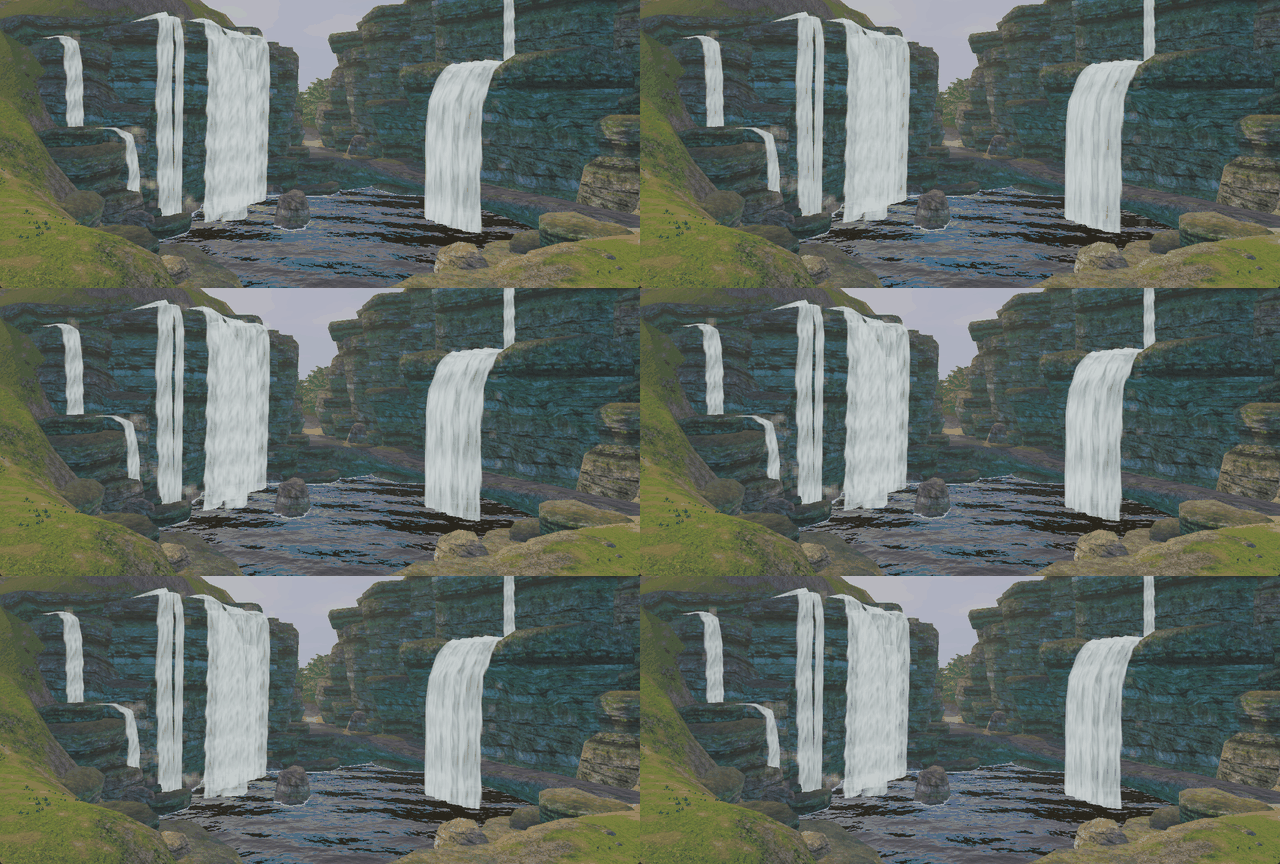
- Shader fixes by hand. Some of the effect shaders needed manual work, the waterfalls in particular. Getting the water to actually fall and foam at the bottom instead of just sitting there as a flat texture took some fiddling, but they run now.
Where this leaves me
I can log into a real server, enter the world, and see my character and the monsters around it in Godot, all placed by the server. It is capsules and coordinates for now, but the hardest part, the connection itself, is done.
Next I want to turn those capsules into real models, and start reading movement so the world is not frozen.