Real bodies and a real sky
August 31, 2026More of an update than a deep dive this time. A few things landed since the last post, and together they change how the game looks and plays a lot.
Real bodies
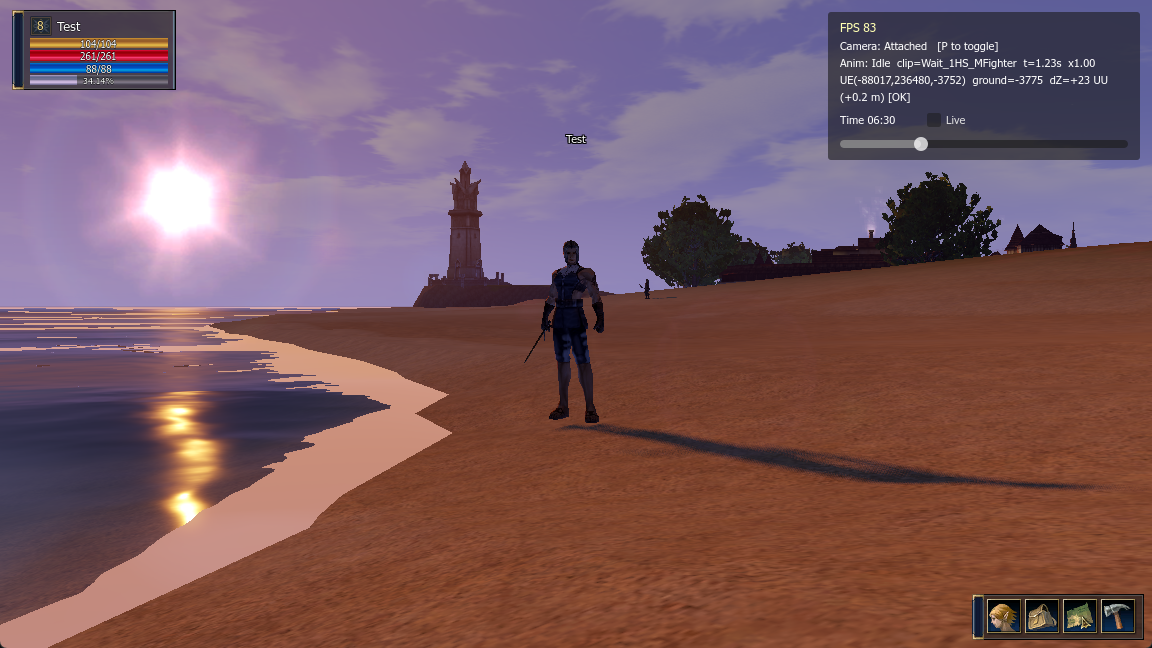
The capsules are gone. My character is now the actual Lineage 2 human fighter model, standing on the beach and playing its real idle animation.
One thing I did not expect: an L2 character is not a single model. It is built from separate parts, the boots, the legs, the torso and arms, the gloves, the face and the hair, and they all get stitched together at runtime and driven by the same animation. So I load each piece and play the same clip on all of them at once.
The head is a special case. I found out, from someone’s Unity remake of L2, that the head is not skinned like the rest of the body. It is a rigid mesh, just the face and the hair pinned to the head bone. If you try to skin the face it deforms in ugly ways. Pinning it also means later I can turn the head to look at things almost for free.
The animations come from the client too, one file with 114 clips, an idle and a run and a swing for every weapon type. Getting them out and into Godot was fiddly, and the looping ones like the idle had a small pop at the loop point that I had to smooth out, but they run now.
The monsters and NPCs too
It is not just my character. The NPCs and the monsters got real models as well, so the town is full of the actual guards, traders and teachers, and the fields have the real wolves, orcs, spiders and skeletons instead of colored capsules.
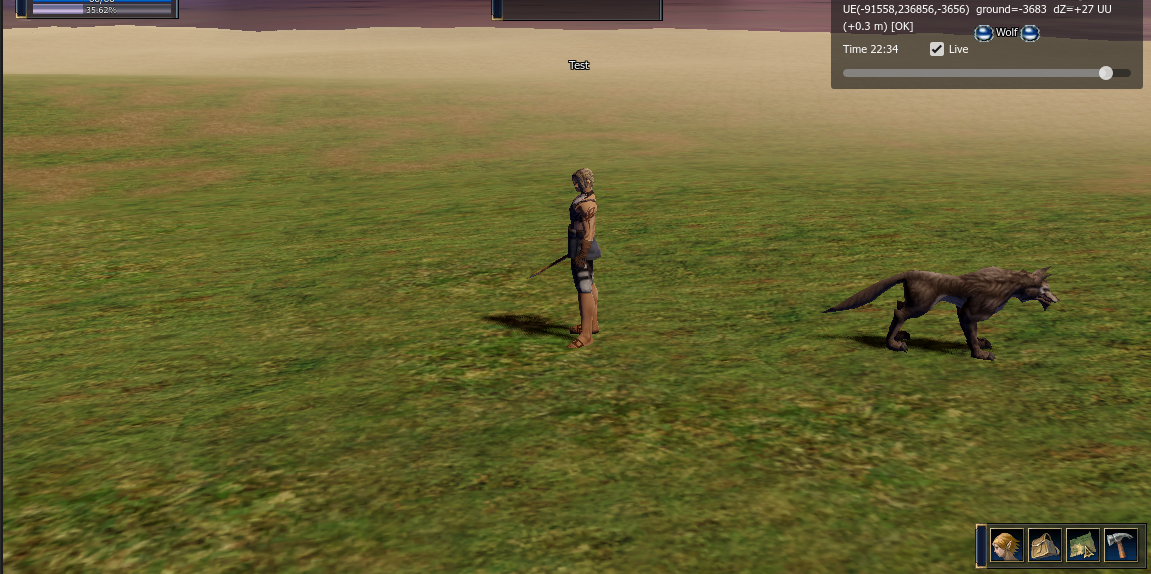
The way I do this is to bake each unique creature once into its own ready made file, with its mesh, its real textures and all its animations, and then the game just drops that in wherever the server says a monster is. For Talking Island Village that was 28 different models. Once I widened it to the whole area around the town it grew to about 63, because the server sends you the monsters from the next tiles over too, not just the one you are standing on.
Animations were the same fight as with the player. There is a slow correct way to get them out, and a tempting shortcut that looks like it should work but leaves every creature stuck in a splayed T-pose. I lost time on the shortcut before going back to the correct way.
Moving around
My character can finally walk. You click on the ground, a small blue marker drops where you clicked, and the character walks over to it. The marker is the real L2 one, the spinning compass ring, pulled out of the client effects.
The interesting part was how to handle walking with a server in the middle. My first version was strict: click, tell the server, and wait for it to say ok before moving. It worked but it felt awful, a little stall on every click and sometimes a jump backwards.
So I looked at what the real client does. I put a small proxy between the real Lineage 2 client and the server and watched the packets while I walked around. It turns out the real client does not wait at all. It starts moving the instant you click, and tells the server where it already thinks it is. The server still checks you, about once a second, and can pull you back if you are really out of place, but it does not gate that first step.
I copied that. Now the click moves you right away, and the server corrections are gentle enough that you never see them unless something is really wrong. No stall, no jump back.
A real sky
The other big one is time. The world now has a real day and night.
In L2 the sky is not on the server, it lives in the client, and it runs on a fast clock, a full day and night in a few hours, kept in step with the server time. The colors for every hour, and the sun, the moon, the clouds and the stars, are all stored in the client in small tables. I decrypted those tables and built a sky shader that reads them, so the sky actually moves through the day: blue at noon, orange at sunset, dark with stars at night.
This replaces the placeholder sky I borrowed back in Part 2. It is the real L2 sky now.
A couple of things fought me. At night the ground went too dark, until I found that L2 lights the terrain with its own brighter light, separate from the light on the characters. And one of the color tables, used straight, turns the whole world blood red, which turns out to be a special event effect and not the normal day. Once those were sorted it looks right. I also added a small time slider so I can drag through the day and check every hour.
Fire
The torches and fire braziers around town actually burn now. In the client these are not simple textures, they are meshes with a scrolling fire shader and a flickering light, and for a while they were getting skipped and showing up as dead flat panels. Wiring the scrolling shader and the flicker light back on gets them moving again.
The interface
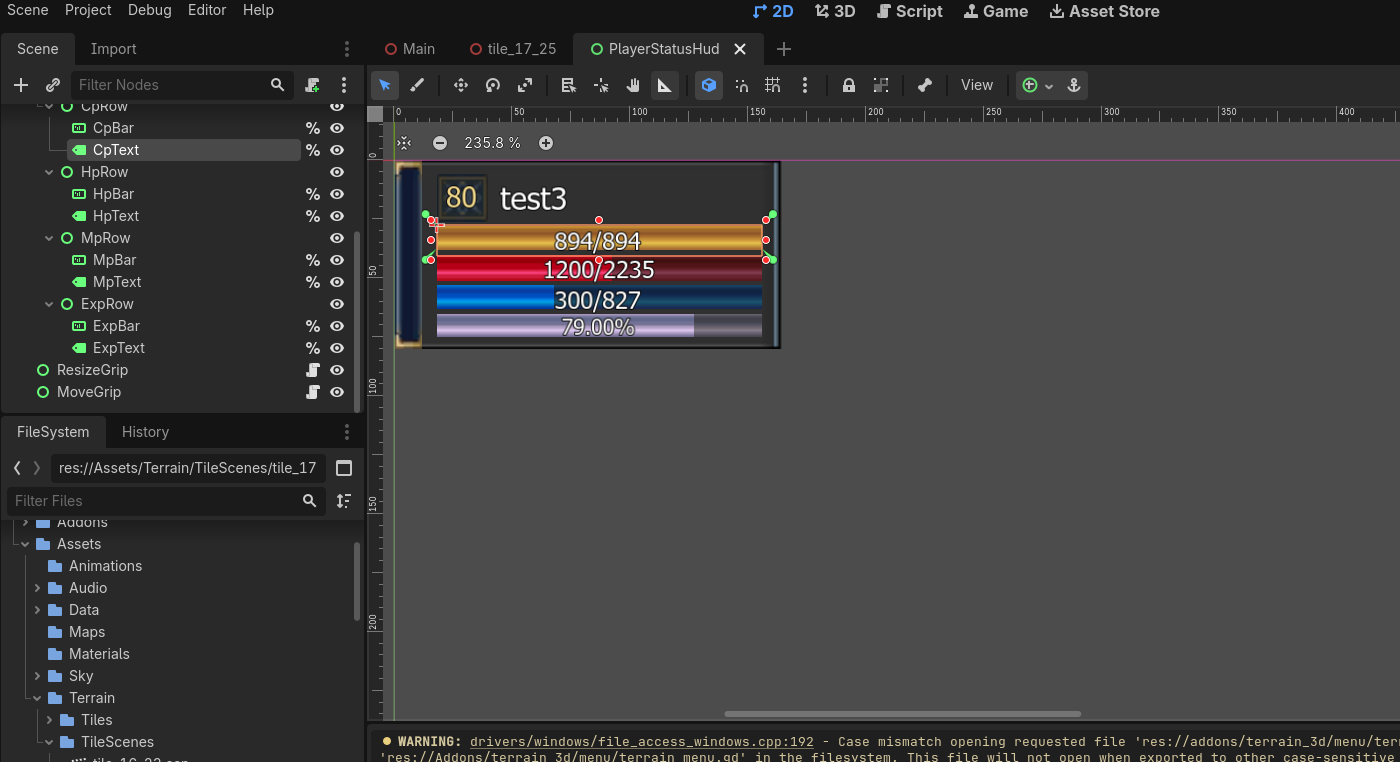
I also started rebuilding the L2 interface with the original art instead of plain boxes. The login screen, the health and mana bars in the corner, the target window when you click something, the little menu bar at the bottom. Each one is put together from the game’s own UI textures, so it reads like Lineage 2 and not a programmer’s grey rectangles. I keep each one as a real editable scene too, so I can move things around without digging through code.
Where this leaves me
So the town and the fields are full of real models now, the sky runs from morning to night, and I can walk around it. Next I want to get into combat, actually hitting those monsters and the effects that go with it.